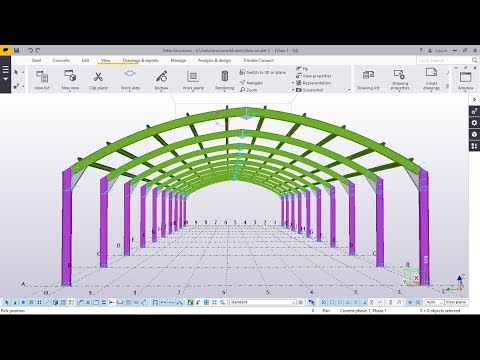
Tekla

Discover the world of Tekla, where cutting-edge software solutions meet structural engineering excellence. Dive into tutorials, case studies, and user experiences that highlight Tekla's powerful capabilities in building information modeling (BIM) and project management for construction professionals.

🔥 Trending Now
TEKLA STRUCTURES 2024 COURSE
Course

TEKLA STRUCTURES 2024 COURSE

This comprehensive Tekla Structures course will take you from absolute beginner to professional user as you master the art of structural steel detailing and modeling.  Through hands-on projects and real world examples, you'll learn to create accurate 3D models, generate fabrication drawings and manage project information.  Whether you're a civil engineer, structural detailer, or construction professional, this course will equip you with the skills to excel in the world of Building Information Modeling (BIM) using Tekla Structures.Why this course is unique: * Comprehensive coverage of Tekla Structures * Hands-on projects and real-world examples. * Focus on practical skills and industry best practices. * Experienced instructor with extensive Tekla Structures knowledge. * Continuous updates and additions to the course content.Target Audience: * Civil Engineers * Structural Engineers * Detailers * Fabricators * Construction Professionals * Architects * Anyone interested in learning BIM and Tekla StructuresWhat you need to get started:* A laptop or desktop with Tekla Structures (Trial version or paid version installed) * Basic understanding of structural engineering concepts is recommended but not required. * Familiarity with CAD software is a plus.Call to action:Enroll now and start your journey to becoming a Tekla Structures expert!  Unlock the power of BIM and take your structural detailing and modeling skills to the next level.

Udemycourse
View Details34 points
Master Tekla Configuration
Course

Master Tekla Configuration

Welcome to the Tekla software configuration training session, where you will discover the optimal configuration settings to unlock the full potential of the software. Throughout this course, you will gain a comprehensive understanding of the significance and benefits of the initialization file and how to establish a firm folder path and common variables as default for easy access.When upgrading to a new version, preserving similar settings is crucial. I will guide you on how to copy variables from the previous to the current version, as well as which essential variables can be transferred from the global and local environments to the user.ini file to establish your preferred settings as default. When adding variable values, remember to open and close them with %% double percentage, while in the advanced option, type with % single percentage. We will also explore the necessity and advantages of custom component variables, and I will provide you with some do's and don'ts to consider during the setup process. Additionally, I will explain why it is beneficial to organize and maintain separate folders and settings for each client.Aside from configuration, I will provide a detailed overview of the model template directory. When selecting a model template for a new project, it is crucial to choose the single-user mode. If you are working as a team, your team members must have access to the model template directory. To enable this, it is recommended to set up the directory in the firm folder or shared network for easy accessibility. Moreover, I will cover some miscellaneous topics, such as bypassing the login window, opening a specific model directly from Tekla Shortcut, and opening a model from the db1 file. These are common questions that clients usually ask, and I will provide you with the necessary information to tackle these issues effectively.By the end of this course, you will be able to configure your system to maximize its potential and work effectively as a team player.

Udemycourse
View Details33 points
Tekla Structures 2020 Basic Training
Course

Tekla Structures 2020 Basic Training

This is an actual training sessions with example for hands-on, the training consist of many topics which is listed below:For Concrete and Steel· Create View (plans and elevation)· Changing UCS· Creating Grids (straight and diagonal grid)· Copy and move commands (linear, rotate and mirror)· Create 3D model (column, beam, wall, slab etc.)· Creating curve beams· Construction points and construction lines· Filter (selection filter and view filter)· Object representation· Inserting DWG file to Tekla Structures· Adding reinforcements (single and group)· Adding Mesh· Creating concrete connections· Using detailing tools (polygon cut, line cut, part cut, fit part end, split and combine)· Creating General Arrangement drawings· Creating Cast Unit drawings· Creating ReportsIn this course, you will learn how to create a full structural model using foundations, columns, beams, beam system, floors. The course will show you how to prepare the model for the preparation of General Arrangement drawings, cast unit drawings and assembly drawings. The course contains Concrete structure and Steel structure examples. You will learn how to annotate, tag, detail, your model, along with creating and printing sheets. Other topics will be discussed in the course like creating several types of schedules, how to import CAD files. The course will show you how to deal with Concrete and Steel connections (using the premade steel connections or Customized steel connections), along with concrete reinforcement (several examples of using different techniques for rebar detailing). Finally you will learn how to use Tekla Structures Steel and Concrete modelling and detailing.

Udemycourse
View Details31 points

Top Rated Tekla Resources

Filter Tekla Resources

27 resources found

All Tekla Resources

TEKLA STRUCTURES 2024 COURSE
Course

TEKLA STRUCTURES 2024 COURSE

This comprehensive Tekla Structures course will take you from absolute beginner to professional user as you master the art of structural steel detailing and modeling.  Through hands-on projects and real world examples, you'll learn to create accurate 3D models, generate fabrication drawings and manage project information.  Whether you're a civil engineer, structural detailer, or construction professional, this course will equip you with the skills to excel in the world of Building Information Modeling (BIM) using Tekla Structures.Why this course is unique: * Comprehensive coverage of Tekla Structures * Hands-on projects and real-world examples. * Focus on practical skills and industry best practices. * Experienced instructor with extensive Tekla Structures knowledge. * Continuous updates and additions to the course content.Target Audience: * Civil Engineers * Structural Engineers * Detailers * Fabricators * Construction Professionals * Architects * Anyone interested in learning BIM and Tekla StructuresWhat you need to get started:* A laptop or desktop with Tekla Structures (Trial version or paid version installed) * Basic understanding of structural engineering concepts is recommended but not required. * Familiarity with CAD software is a plus.Call to action:Enroll now and start your journey to becoming a Tekla Structures expert!  Unlock the power of BIM and take your structural detailing and modeling skills to the next level.

Udemycourse
View Details34 points
Master Tekla Configuration
Course

Master Tekla Configuration

Welcome to the Tekla software configuration training session, where you will discover the optimal configuration settings to unlock the full potential of the software. Throughout this course, you will gain a comprehensive understanding of the significance and benefits of the initialization file and how to establish a firm folder path and common variables as default for easy access.When upgrading to a new version, preserving similar settings is crucial. I will guide you on how to copy variables from the previous to the current version, as well as which essential variables can be transferred from the global and local environments to the user.ini file to establish your preferred settings as default. When adding variable values, remember to open and close them with %% double percentage, while in the advanced option, type with % single percentage. We will also explore the necessity and advantages of custom component variables, and I will provide you with some do's and don'ts to consider during the setup process. Additionally, I will explain why it is beneficial to organize and maintain separate folders and settings for each client.Aside from configuration, I will provide a detailed overview of the model template directory. When selecting a model template for a new project, it is crucial to choose the single-user mode. If you are working as a team, your team members must have access to the model template directory. To enable this, it is recommended to set up the directory in the firm folder or shared network for easy accessibility. Moreover, I will cover some miscellaneous topics, such as bypassing the login window, opening a specific model directly from Tekla Shortcut, and opening a model from the db1 file. These are common questions that clients usually ask, and I will provide you with the necessary information to tackle these issues effectively.By the end of this course, you will be able to configure your system to maximize its potential and work effectively as a team player.

Udemycourse
View Details33 points
Tekla Structures 2020 Basic Training
Course

Tekla Structures 2020 Basic Training

This is an actual training sessions with example for hands-on, the training consist of many topics which is listed below:For Concrete and Steel· Create View (plans and elevation)· Changing UCS· Creating Grids (straight and diagonal grid)· Copy and move commands (linear, rotate and mirror)· Create 3D model (column, beam, wall, slab etc.)· Creating curve beams· Construction points and construction lines· Filter (selection filter and view filter)· Object representation· Inserting DWG file to Tekla Structures· Adding reinforcements (single and group)· Adding Mesh· Creating concrete connections· Using detailing tools (polygon cut, line cut, part cut, fit part end, split and combine)· Creating General Arrangement drawings· Creating Cast Unit drawings· Creating ReportsIn this course, you will learn how to create a full structural model using foundations, columns, beams, beam system, floors. The course will show you how to prepare the model for the preparation of General Arrangement drawings, cast unit drawings and assembly drawings. The course contains Concrete structure and Steel structure examples. You will learn how to annotate, tag, detail, your model, along with creating and printing sheets. Other topics will be discussed in the course like creating several types of schedules, how to import CAD files. The course will show you how to deal with Concrete and Steel connections (using the premade steel connections or Customized steel connections), along with concrete reinforcement (several examples of using different techniques for rebar detailing). Finally you will learn how to use Tekla Structures Steel and Concrete modelling and detailing.

Udemycourse
View Details31 points

Weekly picks in Tekla, free - join the newsletter.

Popular Tags

Books

0 books available

No books yet

We'd Love Your Feedback!

Help us improve by sharing your thoughts

📬 Stay Updated

Get weekly updates on top-rated resources in your favorite categories

📧 Get updates on new and trending resources in your favorite categories.